Node-RED is an open-source, low-code development tool for flow-based, visual programming. It lets you wire together hardware devices, APIs, and online services by dragging and dropping building blocks onto a canvas — instead of writing boilerplate integration code by hand. The result is that you spend your time making systems talk to each other rather than wrestling with the plumbing in between.
Originally created by IBM’s Emerging Technology team in 2013, Node-RED is now an OpenJS Foundation project maintained by an active open-source community. It has grown well beyond its original “wiring the Internet of Things” tagline: today it is widely used across IoT, the Industrial IoT (IIoT), edge computing, home automation, API orchestration, and rapid prototyping. Several PLC and IoT vendors have adopted it as a standard, and the community has published over 4,000 connectors for protocols and platforms such as MQTT, Modbus, OPC-UA, and Siemens S7.
Introduction to Node-RED
Every Node-RED application is built from nodes — the building blocks you drag onto the canvas and wire together to form a logical flow. Each node performs a specific job: a simple debug node to inspect what’s happening in your flow, an MQTT node to publish or subscribe to a broker, an HTTP node to call an API, and so on. You build an application by composing data flows through a series of connected nodes.
Node-RED runs on Node.js as a lightweight web server. You design, customize, and manage your flows from any browser — locally or remotely — and deploy changes to the runtime with a single click. Because the runtime is built on Node.js’s event-driven, non-blocking model, it runs comfortably on low-cost hardware like a Raspberry Pi at the edge of the network, as well as in the cloud.

A standout feature: flows are stored as JSON. Sharing your work — a whole application or just part of a flow — is as simple as copying the JSON and sending it to someone as plain text.
What We’ll Build in This Tutorial
In this guide we’ll walk through, step by step, how to:
- Install Node-RED locally
- Develop a custom node that sends push notifications to an iOS device
- Design a simple flow
- Run and deploy your Node-RED application
Installing Node-RED
Node-RED requires Node.js — the project currently recommends Node.js 22.x (Active LTS). Install Node.js first from nodejs.org, then verify it:
node –version
npm –version
Once Node.js is in place, install Node-RED as a global npm package:
sudo npm install -g –unsafe-perm node-red
Then start it:
node-red
By default, the editor is served at http://localhost:1880. Open that address in your browser to reach the flow editor.
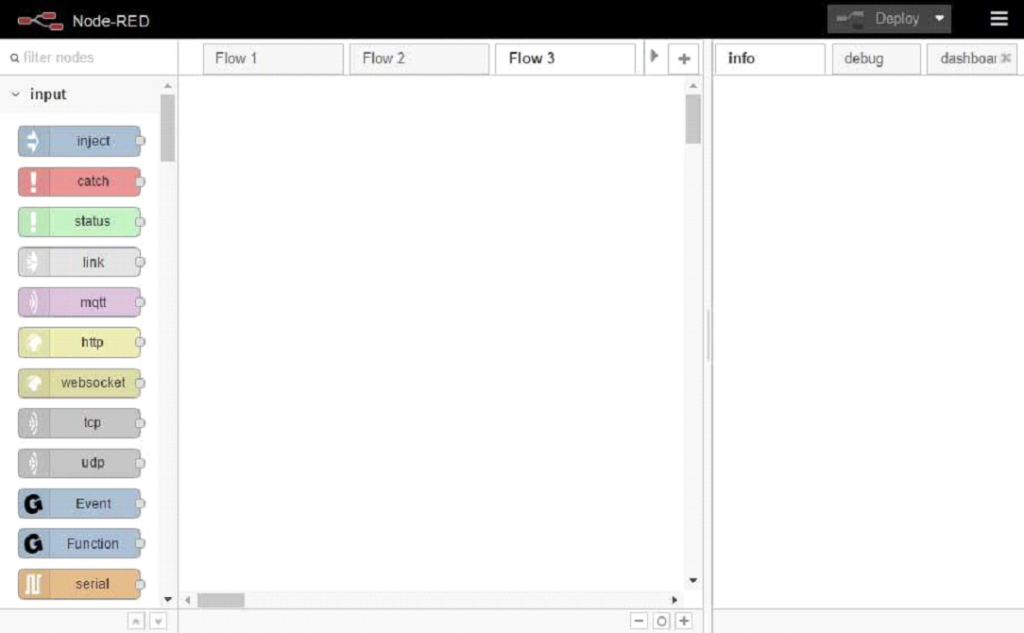
Figure 2. Node-RED UI
To upgrade an existing installation to the latest version later, simply re-run the install command. (At the time of writing, the current stable release is the 4.1.x series.)
Building and running your first flow
- Pick nodes from the palette on the left and drag them onto the workspace.
- Connect them by dragging from the output port of one node to the input port of another.
- Click Deploy at the top right.
The data passed from node to node is called a message — a JSON object that always contains at least a payload property. Here’s an example of data flowing out of a node:
{
“topic”: “”,
“payload”: “”,
“notification”: {
“body”: “Dummy test”,
“sound”: “default”,
“badge”: 1,
“expiry”: 1491997296,
“priority”: “10”
}
}
Deploying Node-RED to the Cloud
Once your flow works locally, you have several modern, well-supported options for running Node-RED in production:
Docker. The official nodered/node-red image is the most common deployment path, with 315M+ pulls. A minimal run command:
docker run -it -p 1880:1880 -v node_red_data:/data –name mynodered nodered/node-red
The -v volume mapping preserves your flows and settings across restarts and upgrades.
FlowFuse. A managed platform built specifically around Node-RED, FlowFuse handles hosting, version management, team collaboration, and automatic updates — a strong choice for teams running Node-RED in industrial or production settings.
Self-hosted on a VM or Raspberry Pi. For full control, run Node-RED as a system service on any Linux VM (AWS, Azure, GCP, DigitalOcean) or on a Raspberry Pi using the project’s official install script. Remember to secure the editor (authentication + HTTPS) before exposing it to the internet.
Conclusion
Node-RED remains one of the fastest ways to take an idea from concept to a working prototype — whether you’re building an event-processing pipeline, an IoT gateway, or an automation workflow. Its visual, low-code approach lowers the barrier to integration work, while its Node.js foundation and 4,000+ community nodes mean you’re rarely starting from scratch. And as we’ve shown, when the built-in palette doesn’t cover your use case, extending Node-RED with your own custom nodes is straightforward.
Experiment, build useful nodes and flows, and consider contributing them back to the Node-RED community.