When the pandemic pushed everything online, it took your costs with it. Events that used to fill a room now happen over video. Instead of walking into a doctor’s office, people open a telemedicine app and consult remotely first. Education moved onto screens too. So it’s no surprise that streaming providers like Vonage, Amazon Chime, and Twilio are booming — but they bill audio and video by the minute, and if your business has a lot of customers, that meter runs fast.
Here’s the part most teams miss: you don’t always have to pay it. If your product is mostly 1-to-1 calls or small-group conferencing, WebRTC peer-to-peer video chat can replace those per-minute streaming bills with a setup that costs a fraction of the price — because the video never touches a media server at all. In this post, I’ll show you how the peer-to-peer approach works, where it fits, and exactly how the numbers compare against the big paid APIs.
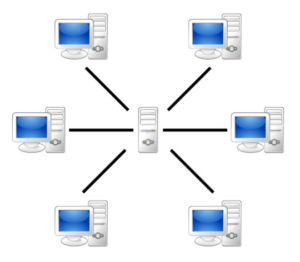
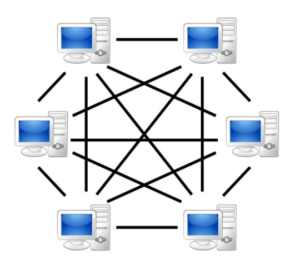
But, when you have a limited amount of participants in a room or 1 to 1 video call, you can use a different approach. See, there is no server, all participants are connected to each other. How cool is that! As always there are pros and cons of such a system, it’s called “Mesh” by the way. Pros: You don’t need media streaming servers. Cons: You can’t hold many users in such a room. It depends on the video quality and device power, so let’s say 6-8 users is a maximum. Ok, so we have this Mesh approach and it works well for Telemedicine, for Education applications in small groups.
How most video conferencing systems work
Here’s the quick theory. In a typical video conferencing system, there’s a server in the middle, and every participant connects to that server. It works well, and when you have many users in a single room, there’s really no alternative — the server is doing the heavy lifting of receiving every stream and routing it to everyone else.
Let’s calculate and compare the usage costs for both types of systems.
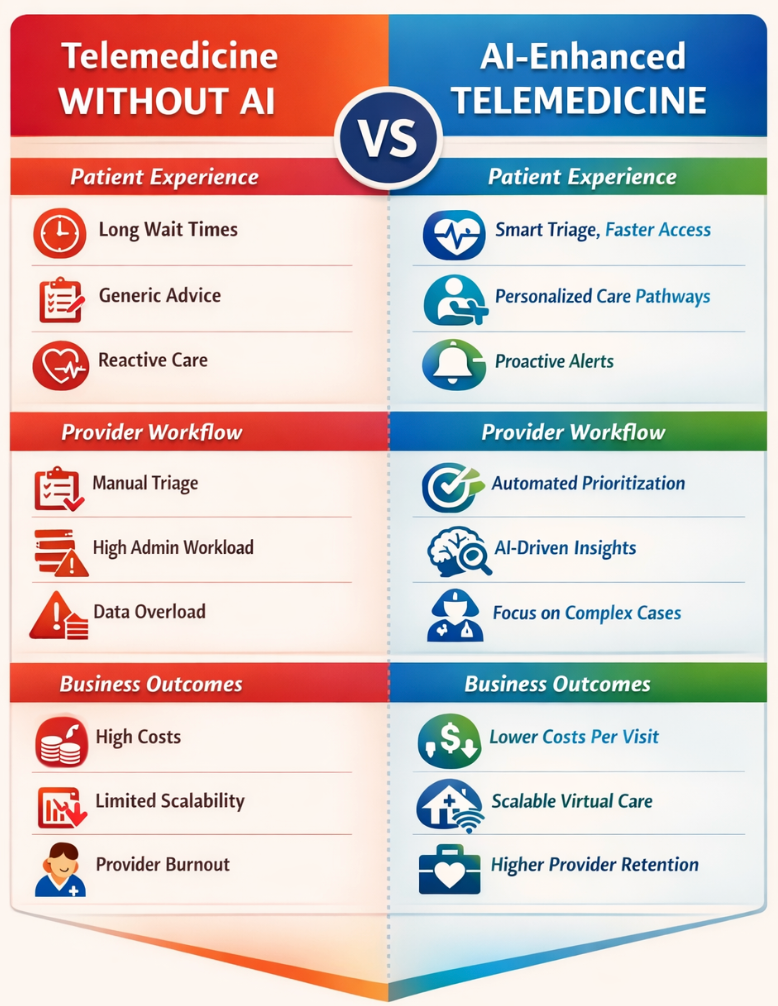
Imagine we have a Telemedicine application, and you have mostly 1 to 1 call, sometimes up to 4 participants in the room. Let’s assume the system has 1000 video calls per day. Every call duration is 15 min on average. Vonage/Tokbox costs: One video call has 2 video participants streams involved. Meaning 1 call on average is 2x15min = 30 min of video streams. Then 30 min x 1000 calls = 30,000 minutes of video streaming. Vonage has a pricing of $0.0045 per minute of the video stream. $0.0045 x 30,000 minutes = $135 per day, or $135 x 30 days = $4050 per month WebRTC Mesh System costs: For such a system, you need to use a server only to establish a call and connect users directly.
In some rare situations, you need to use a relay TURN server for sending traffic. The server to establish calls will cost you roughly $100/month. The relay TURN server will add roughly $100/month on top. In total, we have $200 per month. Wow, it is $4k vs $0.2K! Where is a catch? Well, you definitely need to consider installing such a “Mesh” system, and by coincidence, we have developed it! And we even sell it with source code and can install it on your premises. Message me to get the Demo and Quote: sz@trembit.com