React Native is a reasonable default choice for healthcare mobile apps. One codebase, two platforms, a large ecosystem of libraries, a hiring pool that’s easier to tap than Swift or Kotlin specialists. The productivity argument is real, especially for teams moving fast toward product-market fit.
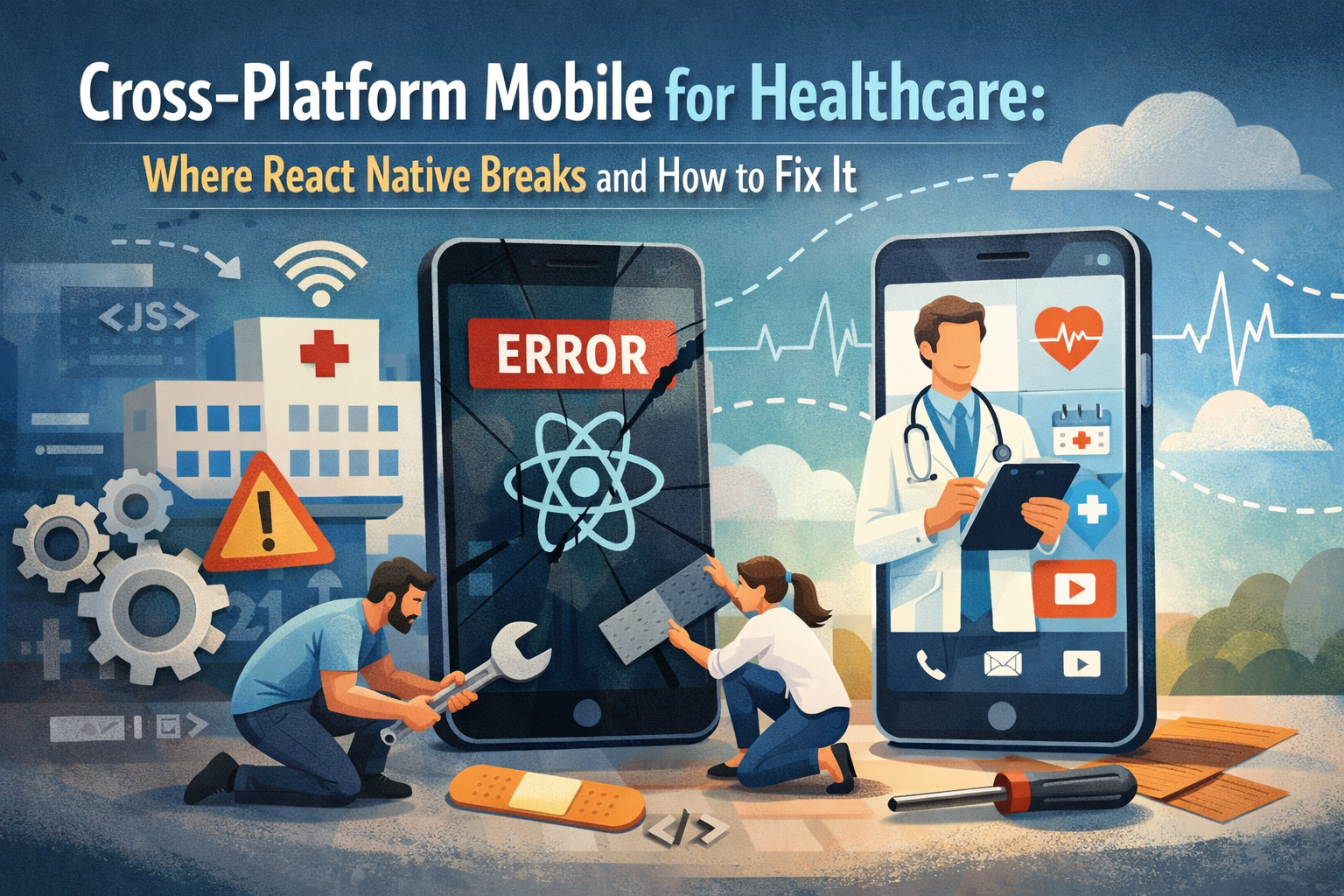
But healthcare applications push React Native into territory it wasn’t designed for. The framework assumptions that hold for consumer apps — that the JavaScript bridge is fast enough, that native module abstractions are complete enough, that the OS will cooperate with background execution — break down in ways that are hard to predict from a distance and expensive to fix under pressure.
This article maps the specific failure modes that matter in healthcare contexts: biometric authentication, medical-grade peripheral integration, background health data sync, real-time audio and video, and regulatory evidence requirements. For each one, we explain what breaks, why it breaks, and what the fix actually looks like in production.
Why Healthcare Is a Harder Target Than Consumer Apps
Most React Native tutorials and case studies are built around consumer social and utility apps: news readers, e-commerce, and chat. These apps share a comfortable set of requirements — UI responsiveness, push notifications, REST API calls, and some local storage.
Healthcare apps are different in three ways that compound across the stack.
Reliability is a safety requirement, not just a quality bar. A crash in a shopping app causes frustration. A crash in an app that a diabetic patient uses to log insulin doses, or that a practitioner uses to review a patient during a house call, has clinical consequences. Error handling, crash recovery, and offline resilience need to be designed in from the start, not bolted on after the first user reports.
Peripheral and platform integration goes deeper than consumer apps. Healthcare apps frequently need to talk to Bluetooth medical devices, access continuous background health data, integrate with HealthKit and Google Health Connect, and handle secure document flows from camera to encrypted storage. These integrations live close to the OS layer where React Native’s abstractions are thinnest.
Regulatory evidence requirements change how you architect everything. HIPAA audit logging, GDPR data minimization, FDA SaMD documentation (for apps that qualify as medical devices) — these requirements affect data models, storage choices, network architecture, and what you can and cannot do in a JavaScript runtime.
With that framing, here’s where things break.
Failure Point 1: Biometric Authentication and Secure Storage
Biometric authentication — Face ID, Touch ID, Android fingerprint, and face unlock — is table stakes for healthcare apps handling PHI (Protected Health Information). Users expect it, and many compliance frameworks effectively require it as part of a “minimum necessary access” posture.
What breaks:
The most widely used React Native biometric libraries (react-native-biometrics, react-native-touch-id) work for the basic flow but have gaps that matter in healthcare contexts. They don’t expose the full native API surface for conditional biometry (requiring biometric re-authentication after a timeout rather than just at app open). They handle native error states inconsistently between iOS and Android versions. They don’t integrate with the iOS Secure Enclave or Android StrongBox for hardware-backed key storage in a way that’s auditable for compliance purposes.
Secure storage is the related problem. react-native-keychain works but stores credentials in the iOS Keychain and Android Keystore with default protection levels that don’t always meet healthcare data handling requirements — specifically, the requirement that PHI stored locally is encrypted with hardware-backed keys and is inaccessible without biometric or PIN authentication.
The fix:
Write a thin native module that wraps the platform biometric and secure storage APIs directly. For iOS, this means LocalAuthentication and CryptoKit with Secure Enclave key generation. For Android, BiometricPrompt with AndroidKeyStore and StrongBoxKeymaster is available. The native module exposes a small, clean interface to React Native — authenticate, store, retrieve, delete — while giving you full control over protection levels and error handling.
This is two to three days of native work per platform that eliminates an entire category of compliance risk.
Failure Point 2: Bluetooth Medical Peripheral Integration
Bluetooth LE integration with medical peripherals — glucometers, pulse oximeters, blood pressure cuffs, continuous glucose monitors — is one of the most common requirements for patient-facing healthcare apps, and one of the most painful areas in React Native.
What breaks:
react-native-ble-plx and react-native-ble-manager are the dominant libraries. Both work for standard BLE device profiles, but medical peripherals frequently use custom GATT profiles, proprietary authentication handshakes, and real-time notification characteristics that require precise timing and reliable reconnection logic.
The JavaScript bridge introduces latency and non-determinism in the BLE event loop. For most consumer BLE use cases (connecting to a speaker, pairing a fitness tracker), this is acceptable. For medical devices where a missed notification means a missed glucose reading, or where the device has aggressive connection timeout behavior, bridge latency causes real data loss.
Background BLE operation — maintaining a connection when the app is backgrounded — is where React Native libraries uniformly fall short. iOS and Android have strict and different rules about background Bluetooth execution. The libraries abstract over these differences in ways that hide the complexity without solving it, resulting in connections that drop in the background and don’t reliably reconnect.
The fix:
For medical peripheral integration, build native modules for the BLE layer entirely. On iOS, CoreBluetooth with background mode entitlements and state preservation/restoration handles reconnection correctly. On Android, a foreground service with BluetoothLeScanner manages background operation reliably. The native implementation exposes device data to React Native via an event emitter, keeping the cross-platform business logic in JavaScript while the reliability-critical BLE layer runs natively.
This is not a small investment — plan for two to three weeks of native work per peripheral type — but it’s the only approach that produces clinical-grade reliability.
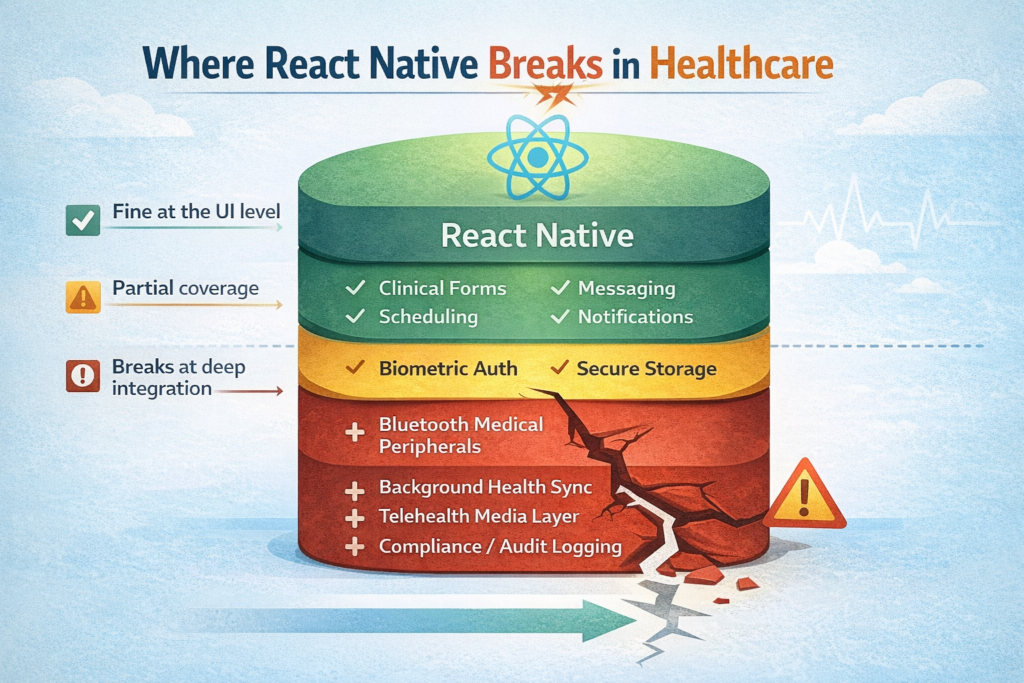
Failure Point 3: Background Health Data Sync
Most healthcare apps need to read from and write to platform health data stores: Apple HealthKit and Google Health Connect (formerly Google Fit). These are the canonical sources for step counts, heart rate, sleep data, and increasingly for clinical measurements like blood glucose and blood pressure from connected devices.
What breaks:
react-native-health (iOS) and react-native-google-fit (Android) cover the basic read/write flows. Where they break is background delivery — the mechanism by which the platform pushes new health data to your app without the user opening it.
HealthKit’s HKObserverQuery and background delivery API requires specific entitlement configuration, a background task registration, and careful handling of the completionHandler that tells HealthKit your app has processed the data. The React Native libraries don’t expose the full background delivery lifecycle. Apps built on them frequently miss data silently — the user’s watch records a workout, HealthKit notifies the app, the app wakes, the JavaScript runtime initializes too slowly, and the completion handler times out.
The fix:
Background health data processing belongs in a native extension. On iOS, a BGProcessingTask or BGAppRefreshTaskhandles the wakeup, processes HealthKit queries in native Swift, stores results locally, and notifies the React Native layer when it comes to the foreground. On Android, a WorkManager periodic task handles Health Connect polling in the background.
The React Native layer handles display and user interaction; background data collection is owned entirely by native code.
Failure Point 4: Real-Time Video and Audio for Telehealth
If your healthcare app includes video consultations — and increasingly, it does — React Native’s limitations in the media layer become the most consequential problem on this list.
What breaks:
WebRTC in React Native requires either a third-party SDK (Daily, Twilio, Vonage all have React Native SDKs) or react-native-webrtc. The third-party SDKs are the most reliable path for standard video calling, but they carry vendor dependency and compliance surface area.
react-native-webrtc gives you more control but inherits the fundamental limitation: media processing — encoding, decoding, noise cancellation, echo cancellation — happens in native threads, but the signaling logic and session management run on the JavaScript bridge. Under CPU load (video encoding is expensive), the bridge can become congested, causing signaling delays that manifest as call setup failures or mid-call disconnections.
Camera and microphone permission handling on Android is also significantly more fragmented across OEM Android versions than on iOS. Devices from certain manufacturers have non-standard permission behavior that React Native’s permission libraries don’t handle, resulting in silent failures where the app believes it has camera access but the stream is empty.
The fix:
For telehealth video in React Native, push as much of the call lifecycle into native code as the SDK allows. Use the vendor SDK’s native module directly rather than JavaScript-layer wrappers where possible. Implement a native session manager that handles call state transitions (ringing, connecting, connected, ending) without going through the bridge, and have it communicate state to React Native reactively. Camera permission handling should include OEM-specific workarounds tested against a physical device matrix, not just a simulator.
For platforms where video quality is a clinical differentiator, a native app or hybrid approach (React Native shell with native video module) is worth the additional build cost.
Failure Point 5: Audit Logging and Compliance Evidence
Healthcare apps need audit trails: who accessed what PHI, when, from which device, and what actions they took. This is not an afterthought — it’s a HIPAA requirement and a practical necessity for any security incident investigation.
What breaks:
Audit logging in React Native apps is typically implemented as API calls to a backend endpoint. This approach has two failure modes: logs are lost when the device is offline, and the log data is only as complete as what the JavaScript layer can observe. Native events — OS-level PHI access, biometric authentication results, background task execution — happen below the JavaScript layer and are invisible to it unless explicitly bridged.
The fix:
Implement a local audit log buffer in native code that persists to an encrypted local database (SQLite with SQLCipher, not AsyncStorage) and syncs to the backend when connectivity is available. Native events write directly to the buffer; React Native events go through a bridged logging interface. This ensures no events are lost to connectivity gaps and that the audit trail is complete at the OS level.
Where React Native Holds Up Well
This article focuses on failure points, so it’s worth being explicit about where React Native is a solid choice in healthcare:
- Clinical content and forms — patient intake, symptom questionnaires, medication history — are well-served by React Native’s UI capabilities.
- Care coordination tools — scheduling, messaging, care plan display — map cleanly onto React Native’s strengths.
- Push notification workflows — appointment reminders, lab result alerts — work reliably with standard libraries.
- Authentication flows (with native biometric module) — once the secure storage layer is handled natively, the React Native UI layer works well.
The pattern that emerges: React Native works well for the application layer — screens, forms, navigation, business logic. It breaks at the integration layer — when the app needs to go deep into OS capabilities, hardware peripherals, or real-time media. The right architecture in a healthcare context pushes integration concerns into native modules and keeps React Native in its lane.
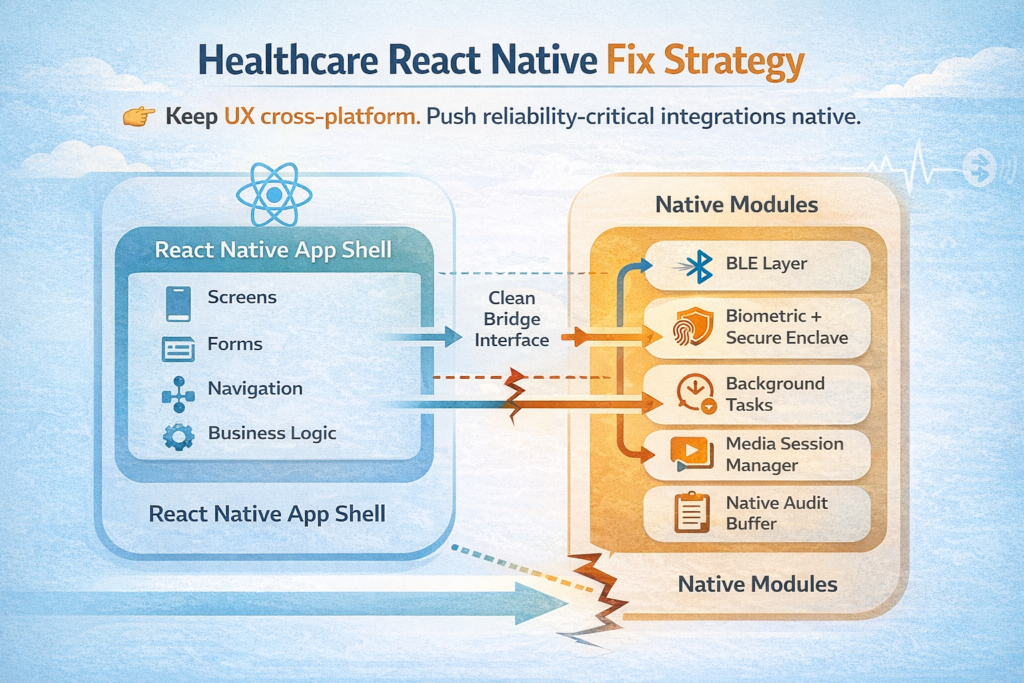
React Native in Healthcare: Decision Summary
| Requirement | React Native Default | Fix Required | Recommendation |
| Biometric auth + secure storage | Partial | Native module | Always build native module |
| Bluetooth medical peripherals | Unreliable | Full native BLE layer | Native module per peripheral type |
| Background health data sync | Misses data | Native background task | Native extension for sync |
| Telehealth video | Usable with SDK | Native session manager | Vendor SDK + native lifecycle |
| Audit logging | Incomplete | Native log buffer | Native encrypted local log |
| Clinical forms and UI | Strong | None | React Native default is fine |
| Push notifications | Strong | None | React Native default is fine |
Working With React Native Healthcare Complexity
The teams that succeed with React Native in healthcare aren’t the ones who avoid native code — they’re the ones who know precisely where to introduce it and how to keep the boundary clean. Poorly placed native modules create maintenance complexity; well-placed ones solve real problems that JavaScript simply cannot solve reliably.
Trembit has built and extended React Native healthcare applications across HIPAA and GDPR-regulated environments, including Bluetooth peripheral integration, telehealth video modules, and compliance-grade audit logging. If you’re hitting the ceiling on a React Native healthcare app, or architecting a new one and want to avoid these failure modes from the start, let’s talk.
The native layer is not the enemy. It’s the tool that makes the rest of the app trustworthy.