By Stan Reshetnyk, CTO · Last updated: 18 August 2026
Part of Trembit’s FreeSWITCH in Production series — a practitioner cluster on choosing, building, and running real-time voice and voice AI on FreeSWITCH.
FreeSWITCH connects a browser to SIP and PSTN calls two ways: mod_verto, FreeSWITCH’s own JSON-RPC signaling protocol over a WebSocket, with a dedicated JavaScript client; or SIP-over-WebSocket through mod_sofia‘s WSS profile, where the browser runs a standard SIP stack (JsSIP, SIP.js) and registers like any other SIP endpoint. They are different signaling stacks in front of the same media engine — not two configuration flags. Whichever you pick, the call still has to solve the same three problems every WebRTC-to-SIP bridge solves: getting media through NAT (ICE, with STUN and TURN), terminating the browser’s mandatory DTLS-SRTP encryption at FreeSWITCH before the call continues toward SIP, and reconciling codecs (the browser wants Opus; the SIP/PSTN side usually speaks G.711). Pick the path by interop need: match an existing SIP estate and softphones → SIP-over-WebSocket; build a greenfield browser/mobile client fast → mod_verto. Get this bridge wrong and users feel it directly — calls that connect with silent or one-way audio, or that drop the moment someone is behind a corporate firewall or mobile NAT. The mechanics below are where the engineering hours actually go.
Key takeaways
- Two paths, one media engine.
mod_vertois FreeSWITCH’s own JSON-RPC-over-WebSocket signaling protocol with a FreeSWITCH-specific JS client; SIP-over-WebSocket (RFC 7118) viamod_sofia‘s WSS profile lets a standard SIP client (JsSIP/SIP.js) register over a WebSocket transport. Same underlying call engine, different signaling.- The gateway work is decryption, not just signaling translation. WebRTC mandates DTLS-SRTP on the browser’s media leg (RFC 8827). FreeSWITCH terminates — decrypts — that leg and re-originates the call toward SIP as RTP (or re-encrypts as SRTP if the trunk requires it). That decrypt-and-bridge step is where transcoding, recording, and dialplan logic can act on the call.
- NAT traversal must succeed before any audio flows. ICE (RFC 8445), using STUN for reflexive candidates and TURN as a relay fallback, has to complete first. A call that “connects” but has no audio, or one-way audio, is almost always an ICE/NAT problem, not a FreeSWITCH config typo.
- FreeSWITCH is not a TURN relay — this surprises people. FreeSWITCH uses STUN only to discover its own public IP at profile load; it does not host a TURN server or generate relay candidates. TURN belongs on the browser side (a coturn server or equivalent), and FreeSWITCH needs a publicly reachable media IP. Configuring “FreeSWITCH’s TURN server” is a category error that burns hours.
- Codec mismatch is a top real-world failure. Browsers default to Opus (RFC 6716); SIP trunks and PSTN gateways are usually G.711 (or G.722). FreeSWITCH can transcode, but transcoding costs CPU per session — worth knowing before it shows up as a capacity surprise.
- Both paths are still maintained in 2026.
mod_vertois not abandoned — it still receives active maintenance in current FreeSWITCH releases. Choose on interop and client ergonomics, not on a remembered “verto is dead” forum claim.- A browser registered to FreeSWITCH reaches the real phone network through the normal dialplan — the same pattern Trembit runs in production on a HIPAA/GDPR-compliant healthcare communications platform (see the proof section).
If you landed here mid-bug — the call connects but there’s no audio, or audio only flows one way — jump straight to the failure-modes section; each entry is a self-contained symptom → cause → fix.
What are the two ways to connect a browser to FreeSWITCH?

There are exactly two supported signaling paths from a browser into FreeSWITCH, and they are genuinely different stacks — not the same feature under two names.
mod_verto — FreeSWITCH’s native path. Verto (“Verto Telephone Overlay”) is a JSON-RPC signaling protocol carried over a secure WebSocket. The browser loads a FreeSWITCH-specific JavaScript client (verto.js), which handles registration, call setup, and the SDP/ICE exchange without any SIP stack in the browser at all. The appeal is ergonomics: for a greenfield browser or mobile calling feature, you’re working with a client purpose-built for FreeSWITCH, and there’s less protocol surface to get wrong on the client side.
SIP-over-WebSocket — the standards-based path. Here the browser runs a real SIP stack — typically JsSIP or SIP.js — and speaks SIP messages tunnelled inside a secure WebSocket, per RFC 7118 (“The WebSocket Protocol as a Transport for SIP”). On the FreeSWITCH side you enable a WSS profile in mod_sofia, and the browser registers exactly like any other SIP endpoint. The trade-off is the mirror image of verto’s: you carry the full complexity of SIP negotiation into the browser, but you gain interop with everything else that speaks SIP — softphones, session border controllers, existing trunks, and any SIP infrastructure your organisation already runs.
Both terminate at the same FreeSWITCH media engine. Once the call is up, FreeSWITCH doesn’t know or care whether the browser arrived via verto or SIP-over-WSS — the dialplan, transcoding, recording, and routing behave identically. The choice is entirely about the client side and your interop needs.
| Dimension | mod_verto |
SIP-over-WebSocket (mod_sofia WSS) |
|---|---|---|
| Signaling protocol | Verto (JSON-RPC over WSS), FreeSWITCH-specific | SIP over WebSocket (RFC 7118) |
| Browser client | verto.js (FreeSWITCH-specific) |
Any SIP-over-WS library — JsSIP, SIP.js |
| Standards basis | Proprietary to FreeSWITCH | IETF standard (RFC 7118) |
| SIP stack in the browser? | No | Yes |
| Interop with existing SIP estate | Limited — FreeSWITCH-centric | Native — registers like any SIP endpoint |
| Best fit | Greenfield browser/mobile client, fast build | Match existing SIP infra, softphones, trunks |
(Reproduce this table as real HTML <table> markup on the page, not only inside the graphic — AI crawlers don’t reliably read text baked into images.)
Is mod_verto still the recommended way to do this?
There’s no single “recommended” path — it depends on your interop needs — but the maintenance question deserves a straight answer, because a lot of what ranks on this topic is years old. As of 2026, mod_verto is not abandoned: it still receives active maintenance in current FreeSWITCH releases. So the honest guidance is not “verto is dead, use SIP.” It’s: verto is a FreeSWITCH-specific protocol with a narrower client ecosystem, while SIP-over-WebSocket rides an IETF standard with mature, independently maintained browser libraries (JsSIP, SIP.js). If you need to interoperate with anything else that speaks SIP, that standards footing is the deciding factor. If you’re building a self-contained browser client against FreeSWITCH and nothing else, verto is a legitimate, still-maintained choice.
What actually has to happen for a browser to connect to FreeSWITCH over WebRTC?

This is where the shallow “enable mod_verto and you’re done” tutorials stop and real deployments start. Whichever signaling path you chose, four things happen in order, and any one of them can fail silently.
- Signaling handshake and SDP exchange. Verto (JSON-RPC) or SIP-over-WSS establishes the session and carries the SDP offer/answer between browser and FreeSWITCH. This negotiates codecs, ICE parameters, and the DTLS fingerprints both sides will verify.
- ICE candidate gathering and connectivity checks. Following RFC 8445, each side gathers candidate addresses — host candidates (its local IP), server-reflexive candidates discovered via STUN (RFC 8489), and relay candidates via TURN (RFC 8656) when a direct path is impossible. The two sides then probe candidate pairs until they find one that works. No audio flows until this succeeds.
- DTLS handshake. WebRTC mandates encrypted media, so browser and FreeSWITCH run a DTLS handshake over the negotiated media path to derive the SRTP keys (RFC 8827 / RFC 5764). This is where a certificate or cipher mismatch will break the call after signaling looked healthy.
- SRTP media flows — and terminates at FreeSWITCH. Encrypted RTP moves between browser and FreeSWITCH; FreeSWITCH decrypts it and continues the call toward the SIP/PSTN leg.
The single most common “works on my laptop, breaks in production” gap lives in step 2. On a LAN, host candidates connect directly and everything looks fine. The moment a real user is behind a home router, a corporate firewall, or a mobile carrier NAT, the direct path disappears and the call depends entirely on STUN and TURN being correctly configured and reachable.
Does FreeSWITCH run its own TURN server?
No — and this is the misconception that costs the most debugging time. FreeSWITCH does not host a TURN relay and does not generate relay candidates. It uses STUN for exactly one thing: discovering its own public IP address at profile load, so it can advertise a routable media address (configured via an ext-rtp-ip / external_rtp_ip stun: URI, or set statically). The TURN relay belongs on the browser side: the browser is the endpoint stuck behind restrictive NAT, so it needs a TURN server (commonly coturn) in its ICE configuration to obtain a relay candidate when a direct path fails. FreeSWITCH then receives that relay candidate in the SDP and uses it as the remote media destination. So the correct architecture is: FreeSWITCH needs a publicly reachable media IP; the browser needs a TURN server. Treating FreeSWITCH itself as “the TURN server” is a category error — get the browser’s TURN config and FreeSWITCH’s external IP right, and the symmetric-NAT failures largely disappear.
Why does the call encrypt as DTLS-SRTP on the browser side but arrive as SIP on the other end?
Because FreeSWITCH is a gateway, not a packet relay. It doesn’t shuttle encrypted packets through untouched — it actively terminates the WebRTC media leg (decrypting DTLS-SRTP) and re-originates the call on the SIP/PSTN side, as plain RTP or, if the trunk demands it, re-encrypted SRTP. That termination point is the whole reason the pattern is powerful: it’s exactly where transcoding, call recording, IVR, and dialplan routing can act on the media, because at that point FreeSWITCH holds the call in the clear. It’s also where a silent failure hides — if the DTLS fingerprints or cipher suites don’t line up, the handshake fails and you get a connected-looking call with no media, no obvious error in the signaling log. “SIP-to-browser done right” is mostly about getting this termination step clean.
How does codec negotiation work when a browser call meets SIP or the PSTN?
Browsers and phone networks disagree about audio codecs, and reconciling them is a routine source of confusion for engineers new to bridging the two worlds.
WebRTC endpoints default to Opus (RFC 6716) — a wideband codec with genuinely better voice quality than anything the PSTN carries. The SIP and PSTN side, meanwhile, is usually G.711 (narrowband, the classic phone-quality codec) or sometimes G.722 (wideband). You have two ways to resolve the mismatch:
- Negotiate Opus end-to-end if the SIP side supports it. Some SIP trunks and carriers now offer Opus, but many PSTN trunks are still G.711 (or G.729), so this path isn’t always available. When both ends do speak Opus, FreeSWITCH can pass the audio through without re-encoding — best quality, lowest CPU.
- Let FreeSWITCH transcode. When the browser offers Opus and the trunk only accepts G.711, FreeSWITCH decodes one and re-encodes the other in the media path. This works transparently, but transcoding is not free: it consumes CPU per concurrent session, and it’s the kind of cost that stays invisible in testing and then caps your box’s capacity in production.
The practical rule: prefer a matched codec (Opus-to-Opus, or G.711-to-G.711) whenever the far end allows it, and treat transcoding as a deliberate choice with a known CPU price rather than an accident you discover under load. The capacity math of transcoding at scale — how many concurrent transcoded sessions a box carries, and how you cluster past it — is a scaling concern in its own right; we cover it separately in Scaling FreeSWITCH in Production rather than here.
What are the most common failure modes when bridging FreeSWITCH and WebRTC?

This is the section worth bookmarking. Bridging browser and telephony audio fails in a small number of recognisable ways, and the symptom usually points straight at the layer that broke. Each entry below is self-contained.
| Symptom | Most likely cause | Where to look |
|---|---|---|
| Call connects, no audio at all | ICE never found a viable media path | Browser TURN config; FreeSWITCH external media IP |
| One-way audio | Asymmetric NAT / wrong external-vs-internal IP on FreeSWITCH | FreeSWITCH ext-rtp-ip / external IP settings |
| Call fails after signaling looks fine | DTLS handshake failure — cert/cipher mismatch | WSS TLS cert; DTLS fingerprints in SDP |
| Audio garbled or drops after seconds | Codec mismatch / failed transcode | Negotiated codec (Opus vs G.711); transcoding |
| Works on office Wi-Fi, fails for remote/mobile users | Missing or unreachable TURN relay | Browser-side TURN server (STUN alone isn’t enough) |
Call connects but there’s no audio. The signaling completed, the call state says “up,” and both sides are silent. This is an ICE failure almost every time — the browser and FreeSWITCH never agreed on a media path. Check that the browser has a working TURN server in its ICE config and that FreeSWITCH is advertising a publicly reachable media IP.
One-way audio. The classic. One party hears the other and not vice versa. This is nearly always asymmetric NAT traversal or a misconfigured internal-vs-external IP on the FreeSWITCH side — FreeSWITCH is advertising an address for its media that one leg can’t route back to. It is rarely a browser bug, and chasing it in the browser wastes days.
Call fails to connect after signaling looked healthy. If signaling succeeded but media never starts, suspect the DTLS handshake. A WSS profile running on an expired or untrusted TLS certificate can break the signaling channel before media even negotiates; a DTLS fingerprint or cipher mismatch breaks it right after. Both fail quietly — there’s no dramatic error, just no audio.
Audio present but garbled or gone after a few seconds. Usually a codec problem — a mismatch forcing a partial or failed transcode. Confirm what codec actually got negotiated versus what each leg can handle.
Works on the LAN, fails for remote users. The textbook symptom of missing TURN. On the office network, host candidates connect directly; STUN alone gets you server-reflexive candidates, which are enough for many NATs but not for symmetric NAT or restrictive corporate firewalls — the exact environments a lot of B2B browser-calling products deploy into. The fix is a reachable TURN relay on the browser side.
(Reproduce the table as real HTML on the page, not only inside the graphic.)
Notice how many of these trace back to one of two root causes: NAT/ICE (with TURN on the wrong side, or absent) and DTLS/certificate hygiene. Get those two right up front and most of the “it connects but doesn’t work” class of bugs never appears. If you’re already deep in one of these and want a second pair of eyes on the NAT and codec path before it eats another sprint, that’s the kind of narrow, specific review we do — more on that at the end.
Where does the browser client actually meet the PSTN?
Here’s the concrete moment the whole architecture builds toward. A browser registers to FreeSWITCH — via verto or SIP-over-WebSocket — and from that instant it’s just another leg as far as FreeSWITCH is concerned. The dialplan evaluates the call exactly as it would a call from a physical desk phone: it can route the browser out through a SIP trunk to the public phone network, or into an enterprise’s existing SIP conferencing infrastructure, with the browser user and a PSTN caller in the same session. That’s the payoff of terminating the WebRTC leg at FreeSWITCH — once the media is in the clear inside the engine, the browser is indistinguishable from any other endpoint the dialplan can route.
This is not a whiteboard pattern for us. Trembit runs this exact architecture in production today, on a HIPAA/GDPR-compliant healthcare communications platform, where FreeSWITCH operates as a SIP proxy and PSTN bridge — connecting web and mobile (WebRTC) clients with phone users and with a hospital’s existing corporate SIP conferencing infrastructure. A single compliant session can span a browser, a mobile app, the public phone network, and an in-hospital conference bridge, because FreeSWITCH sits at the point where all of those legs meet. That FreeSWITCH SIP/PSTN-bridge role is our own production experience, not something you’ll find written up publicly. For related work on the same class of compliant healthcare platform — a different subsystem, real-time in-call translation, which we built on a separate custom Mediasoup SFU — see our healthcare video translation case study.
The reason this matters for your build: the “browser meets phone network” step is where the correctness of everything upstream — ICE, DTLS termination, codec choice — gets tested for real. A demo that works browser-to-browser can still fall over the moment a real PSTN leg with G.711-only audio and a corporate NAT enters the picture. The bridge is only “done right” when it survives that leg.
mod_verto or SIP-over-WebSocket — which should you use?
Skip a second feature table and answer these questions about your product instead. They resolve the decision faster than any grid.
- Do you need to interoperate with existing SIP infrastructure — enterprise softphones, session border controllers, or SIP trunks your organisation already runs? If yes, SIP-over-WebSocket is the standards-safe choice: the browser registers like any other SIP endpoint, and you inherit the whole SIP ecosystem.
- Is this a greenfield browser/mobile-only calling feature with no existing SIP estate to match? Then
mod_verto‘s dedicated client can get you to a working call faster, with less protocol surface in the browser — and, per the maintenance note above, it’s still an actively maintained path. - Does your team already have SIP.js/JsSIP experience? Existing expertise changes the math. A team fluent in SIP-over-WS will move faster on that path than on a FreeSWITCH-specific client they’ve never touched, and vice versa.
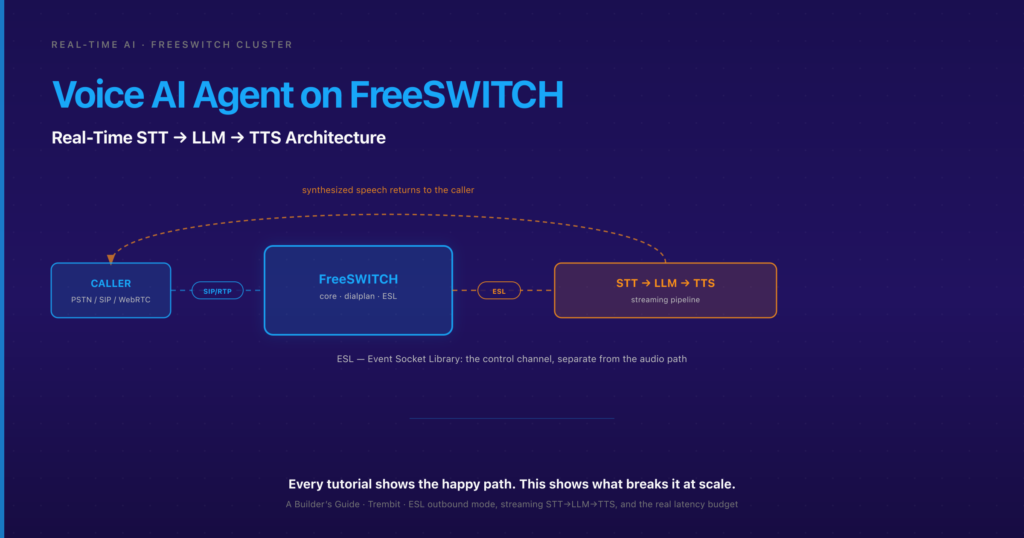
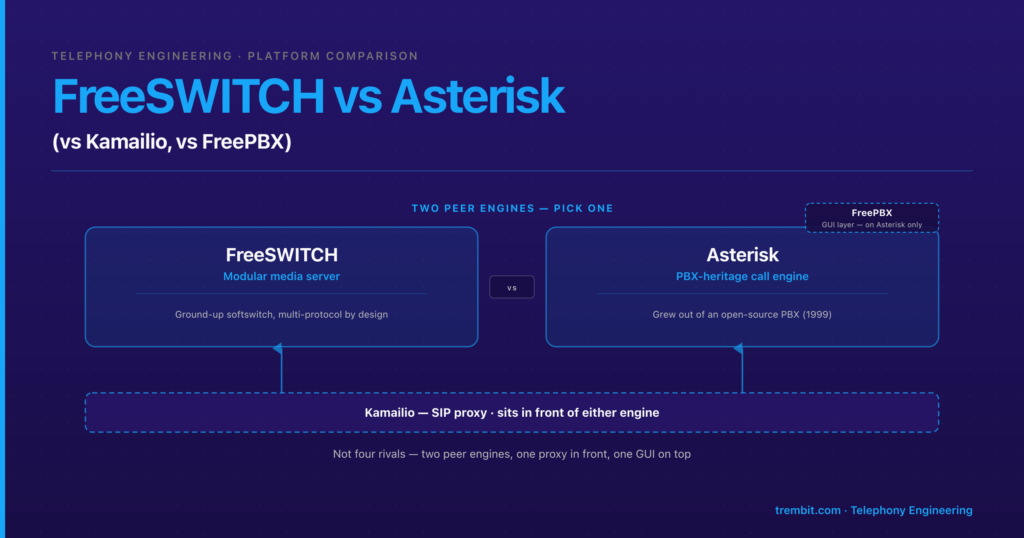
- Does the roadmap include a voice-AI agent that also has to take real phone calls? Then engine choice and audio-forking mechanics matter as much as the browser path. If you’re still choosing the underlying engine, start with FreeSWITCH vs Asterisk; for the actual STT→LLM→TTS build on FreeSWITCH, see building a voice AI agent on FreeSWITCH. This piece’s job is the browser-calling leg — those two carry the AI side, so we cross-link rather than re-explain them here.
Clustering the bridge past a single box — high availability, a SIP proxy in front of a FreeSWITCH fleet — is a separate concern (see Scaling FreeSWITCH in Production); one line here is enough to say it exists and isn’t solved by the engine alone.
We build this bridge as part of real-time voice and media architecture reviews — for teams adding browser calling to an existing FreeSWITCH/SIP estate, or building a voice product that has to reach the PSTN. If you’re mid-implementation and hitting one-way audio or NAT issues, that’s a fast, specific conversation, not a sales call.
Frequently asked questions about FreeSWITCH and WebRTC
Is mod_verto still the recommended way to connect WebRTC to FreeSWITCH?
There’s no single recommended path — it depends on interop needs — but mod_verto is still maintained as of 2026 (recent releases ship fixes to it), so “verto is dead” is outdated. Use SIP-over-WebSocket if you need to interoperate with existing SIP infrastructure; use mod_verto for a self-contained greenfield browser/mobile client where its dedicated JS client is faster to build against.
Can I use SIP.js or JsSIP with FreeSWITCH instead of verto?
Yes. That’s exactly the SIP-over-WebSocket path: enable a WSS profile in mod_sofia and the browser runs a standard SIP stack (JsSIP or SIP.js) over a secure WebSocket per RFC 7118, registering like any other SIP endpoint. This is the standards-based route and the right choice when you need SIP interop.
Does FreeSWITCH need a separate TURN server, or does it include one? FreeSWITCH does not host a TURN server and does not act as a TURN relay — it uses STUN only to discover its own public IP. The TURN server belongs on the browser side (commonly coturn) so the browser can get a relay candidate behind restrictive NAT. FreeSWITCH itself just needs a publicly reachable media IP.
Why does a browser call to FreeSWITCH connect but have no audio (or one-way audio)? Almost always a NAT/ICE problem, not a FreeSWITCH config typo. No audio at all usually means ICE never found a media path — check the browser’s TURN config and FreeSWITCH’s external media IP. One-way audio is typically a wrong internal-vs-external IP on the FreeSWITCH side, so one leg can’t route media back. It is rarely a browser bug.
Can a browser client call a real phone number through FreeSWITCH? Yes. Once a browser registers to FreeSWITCH (via verto or SIP-over-WS), the dialplan routes it exactly like any other endpoint — including out through a SIP trunk to the PSTN. FreeSWITCH terminates the browser’s encrypted WebRTC media leg and re-originates the call as SIP toward the phone network. This is the standard “browser meets phone network” pattern.
What codec should I use for WebRTC calls into FreeSWITCH — Opus or G.711? Prefer Opus end-to-end when the SIP side supports it — better quality and no transcoding CPU cost. If the trunk or PSTN gateway only accepts G.711, FreeSWITCH can transcode, but transcoding consumes CPU per session, so plan for that cost rather than discovering it under load.
Bridging browser and SIP telephony correctly — clean NAT traversal, TURN on the right side, the right codec path, no silent one-way-audio bugs — is the kind of protocol-level work that either goes right the first time or costs weeks of debugging later. If you’re wiring WebRTC into an existing FreeSWITCH or SIP estate, Trembit reviews the architecture before the NAT and codec issues surface in production. Book a free 30-minute architecture review: bring the specific thing you’re stuck on — a one-way-audio bug, a symmetric-NAT failure, the verto-vs-SIP-over-WS decision, or a stalled bridge you inherited — and we’ll pressure-test it with an engineer. No deck, no pitch. Start with our real-time voice AI and WebRTC development teams, or read the transport-layer companion, voice AI agents on WebRTC.
For teams whose bridge also has to satisfy healthcare or data-residency rules, the compliance and on-prem side is its own topic — see FreeSWITCH for HIPAA/GDPR-Compliant Voice.